Audit PDF text extraction before indexing documents
A PDF can look correct on screen while its extracted text has the wrong reading order. Indexing that text turns a layout problem into a search and answer problem. Inspect extraction before spending time tuning retrieval.
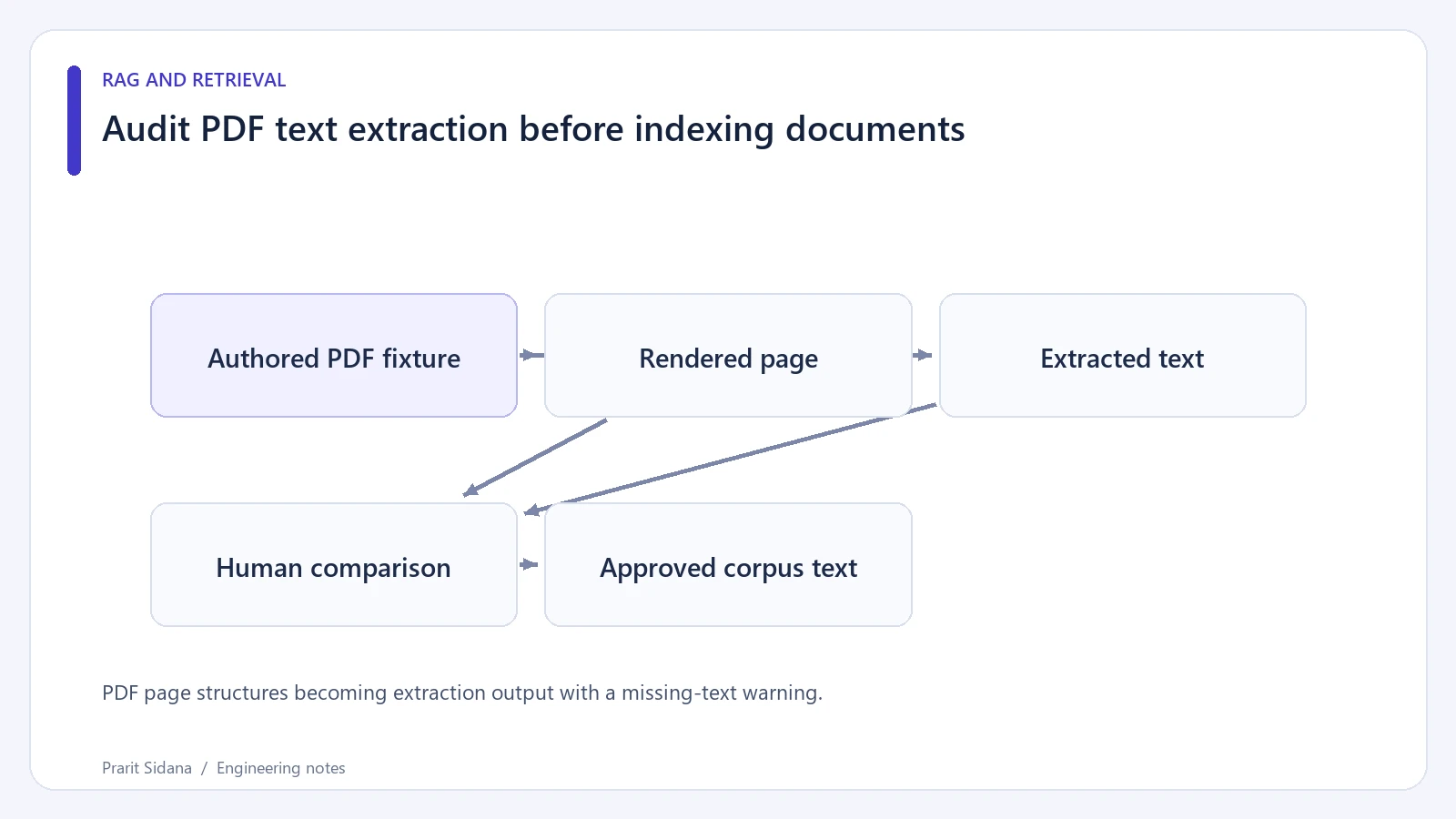
Create an authored fixture with a two-column page, a small table and an image-only page. Write down the intended reading order and the table's row relationships. Because you control the fixture, expected text can be recorded without relying on a parser's own output as the answer.
The pypdf extraction guide documents text extraction and explains why PDF layout makes it difficult. It also states that pypdf does not extract text from images through OCR.
PDF page structures becoming extraction output with a missing-text warning.
Compare text with the rendered page
Extract each page separately and save the page number beside the text. Read the two-column page in extraction order. Check whether a sentence jumps from the left column into the right column before its paragraph ends.
For the table, confirm that each value remains associated with its row label and column heading. A sequence containing all the right words can still give the wrong relationship. Flattening "Basic, Pro, 10, 100" into one paragraph does not say which plan has which limit.
Check repeated headers, footers and page numbers. If every chunk begins with the same document title and a confidentiality label, those repeated tokens may dilute the passage. Remove repeated layout artifacts only under a documented rule that preserves meaningful warnings.
Separate extraction failures from absence
An image-only page with empty extracted text needs a different path, such as OCR followed by review. Marking it as a successfully indexed blank page can make a later answer falsely imply that the source contains no information.
OCR output also needs inspection. Confusing a zero with the letter O can break an error-code lookup. Preserve page references and a rendering path so reviewers can compare uncertain text with the source image.
Set practical ingestion limits. Large or malformed files can consume excessive memory or time; inspect file size and processing behavior in a bounded worker. Password protection, unusual fonts and rotated content deserve explicit failure states.
This article is an audit procedure, not a claim that the fixture has been extracted or rendered here. Run the chosen parser version on the authored files and retain both output and page images before admitting them to the corpus.
If the source is available as structured HTML or an original document, compare that input too. A structured source can preserve headings and tables more directly, while the PDF remains useful for visual verification and page-level citations.