Preserve aspect ratio when exporting a vertical clip
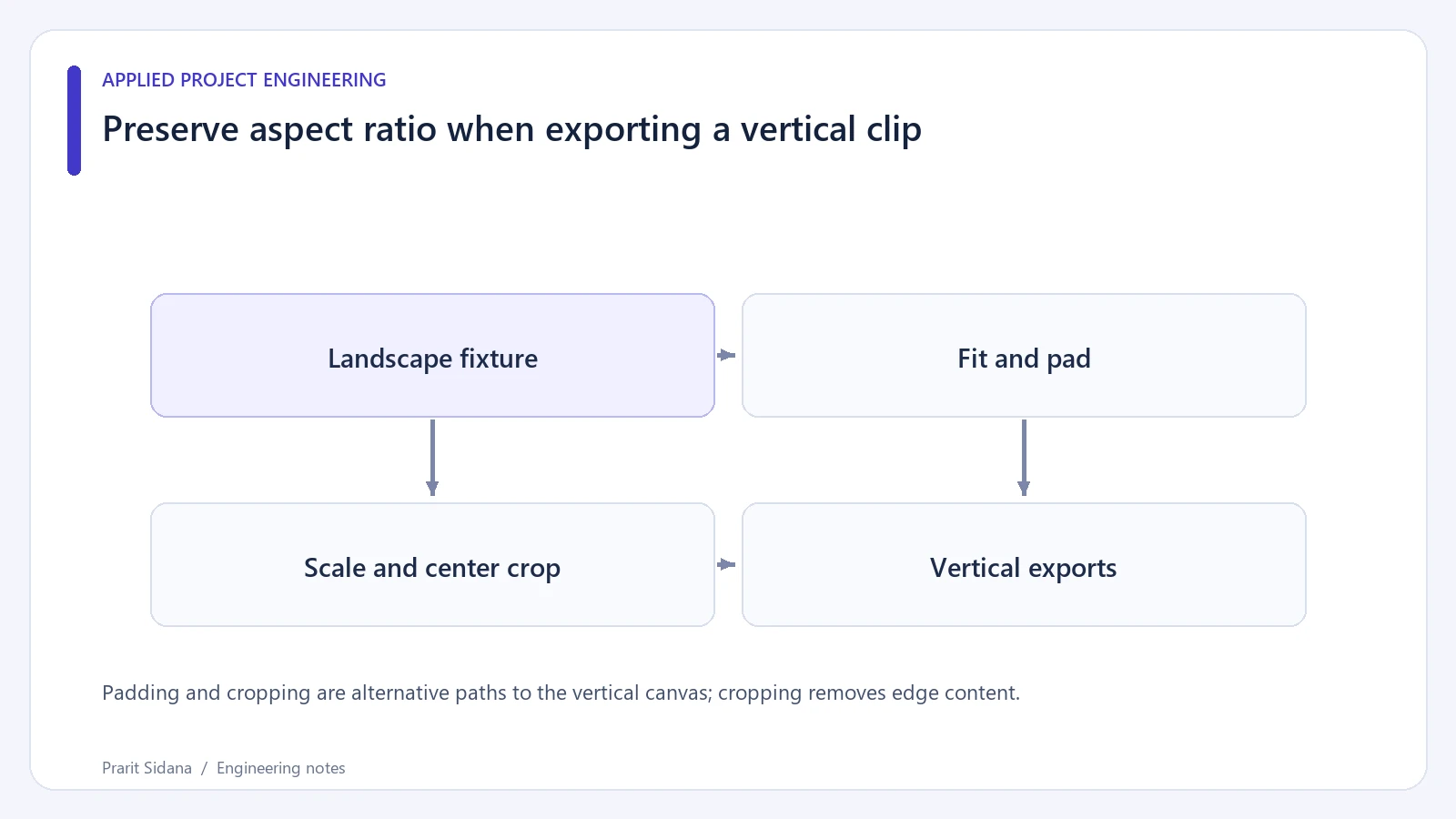
A landscape frame stretched to fill a vertical canvas changes the shape of every face and object. Choose whether to preserve the whole frame with padding or fill the canvas by cropping. Those choices have different visual costs, so expose the choice before an export runs.
Compare two filter plans
For a square-pixel landscape fixture, these filters target a 360 by 640 canvas. They are deliberately small for a local visual test.
scale=360:640:force_original_aspect_ratio=decrease,pad=360:640:(ow-iw)/2:(oh-ih)/2,setsar=1
scale=360:640:force_original_aspect_ratio=increase,crop=360:640,setsar=1
The first plan leaves unused canvas area around the fitted image. The second discards content outside the central crop. Start with an authored test grid that has labeled or visibly distinct edges. A center crop can look acceptable on a centered subject while removing a person's hand or a caption near the edge.
Padding and cropping are alternative paths to the vertical canvas; cropping removes edge content.
Verify dimensions and framing
Encode a short disposable fixture through each plan, probe the resulting dimensions, and inspect representative frames. Check for stretched circles or squares, hidden edge markers and unexpected borders. Repeating the check on portrait input catches assumptions that were accidentally tailored to landscape video.
The fixture should declare its pixel aspect ratio. Setting setsar=1 after a transformation is not a complete policy for every anamorphic source. If input pixels are not square, normalize their display geometry deliberately before applying the export layout, then verify the result. Rotation metadata also needs attention when coded dimensions differ from the displayed orientation.
Keep composition decisions visible
Padding preserves source edges but can make the useful picture small on a phone. Cropping uses more of the canvas but loses scene information. Subject-tracking crops need their own confidence and fallback policy when the subject moves or disappears. A fixed center crop does not imply that a detector followed the subject.
Use a preview built from the same filters as the final export. Otherwise users can approve a frame that differs from the encoded file. FFmpeg 8.0.1 is available for a generated-fixture check during this authoring session; the result does not establish quality on arbitrary customer footage.
References: FFmpeg filters and FFprobe. See ShortForge for the related desktop workflow.